
Once you've selected the players to score, you're ready to start scoring!
If your organization is using more than one scoring form, you'll see a list of available forms when you click the "Start Scoring" button at the bottom of the app screen.
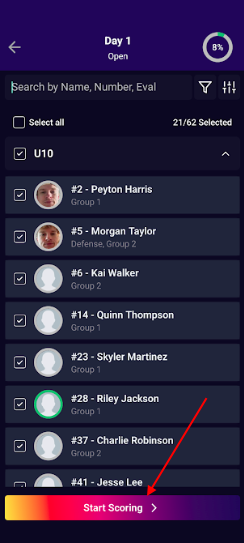
Confirm the Scoring form name with your organization if you see more than one form, then click on the box to the left of the Scoring form name to select it. From there, click on the "arrow" icon pointing to the right (pictured in the screenshot below) to proceed forward with scoring.
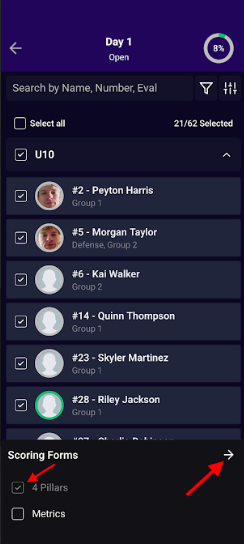
*Note - You are able to select multiple Scoring forms at once vs needing to jump back and forth between the Scoring forms.