
There are 2 different views you can utilize when scoring in the mobile app. Below, we'll touch on each one and will review scenarios where one could be more helpful than the other. We'll then go over how to switch your view.
Score by Player view
This is the default view the app will take when you click the Start Scoring button. You'll see a single player's score card with all of the available criteria to score on. This view can be helpful if you are watching several players scrimmaging and want to quickly document scores across all of the criteria by player.
Score by Criterion view
If you are focusing on one criteria at a time (for example: passing), the criteria view might be the best one for you. This allows you to see all of the available players you've selected to score by criteria, meaning you can assess everyone under one skill before moving to another skill. If you are at a station and players are rotating through drills, this view is ideal.
Switching between Player and Criterion views
There are 2 ways you can switch your view between the Player and Criteria options. Make sure you have selected your players to score and have clicked the "Start Scoring" button first.
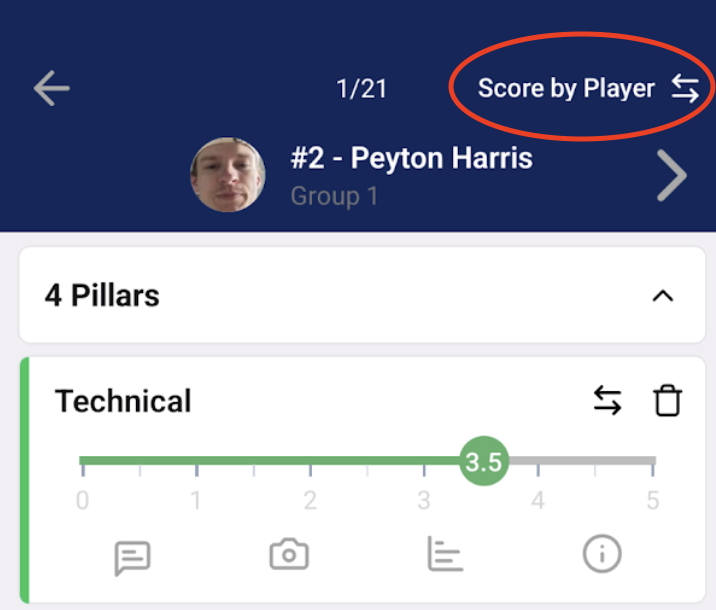
1 - At the top right of the app screen, you will see a button "Score by Player" or "Score by Criterion" depending on the current view you are in. If you'd like to switch your view, click this button.
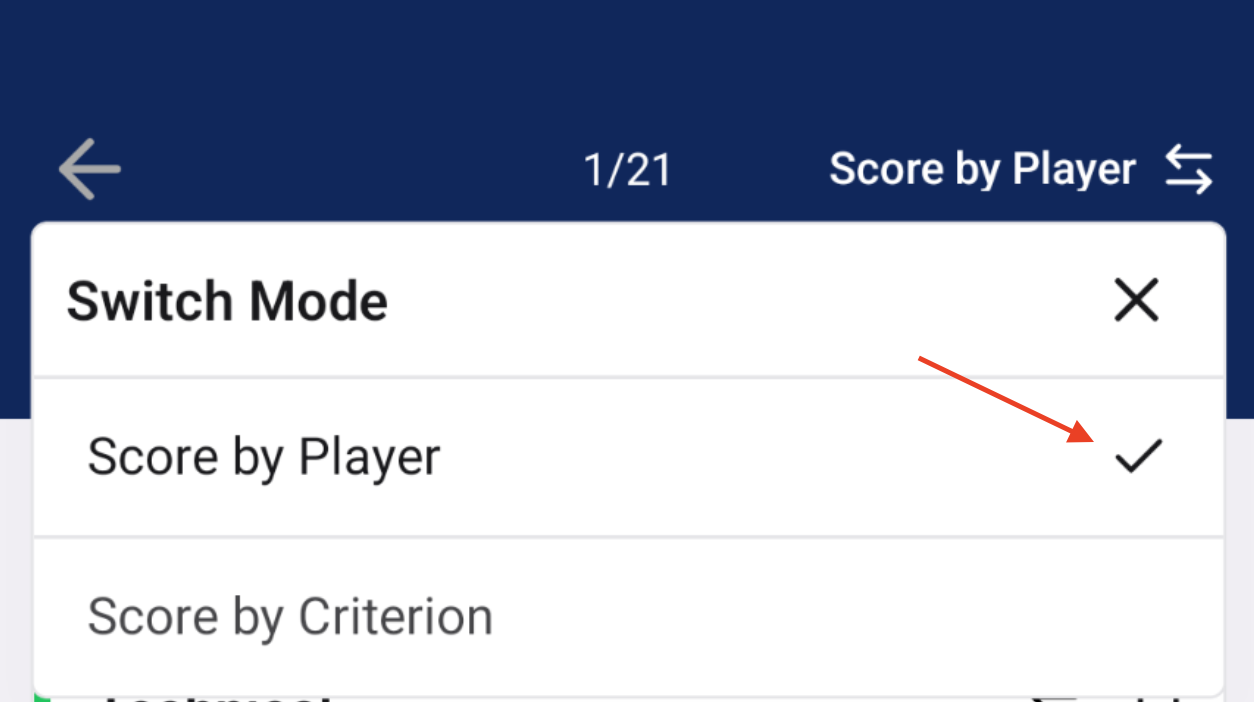
You'll then see a pop up window which allows you to select the alternative view. A check mark notes the view you are currently in.
2 - You will notice 2 horizontal arrows pointing in opposite directions to the right of the criteria or player when you are scoring (see screenshot below). By clicking on this icon, you are able to switch your view.
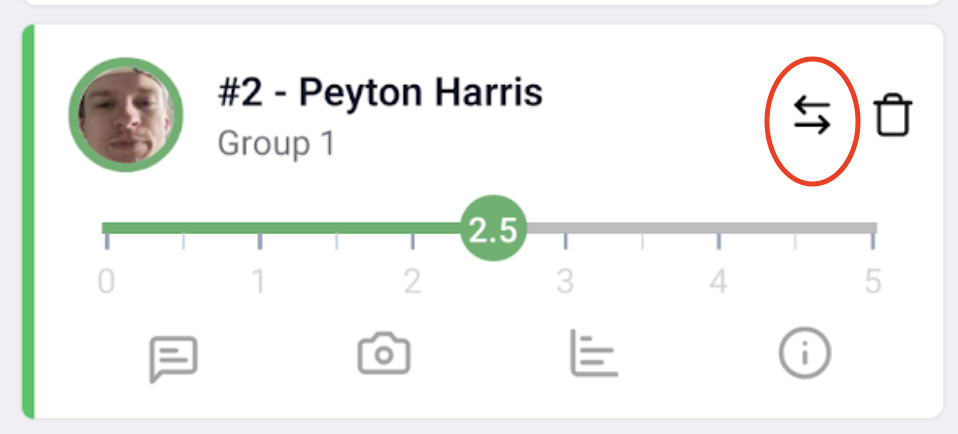
*Note - If you are in the "Score by Player" view, clicking on this arrow for a specific criteria will switch your view to the "Score by Criterion" view and will drop you directly into that criteria. If you are in the "Score by Criterion" view, clicking on this arrow will change your view to the "Score by Player" view and will drop you into the player's scorecard which you've selected.