
An exciting new feature in the mobile app is our Score Comparison feature.
This allows an evaluator to see all of the scores they've recorded by athlete for a given criteria. This will be most helpful when evaluators are trying to ensure players are stacked up against each other by skill level.
To access this feature, ensure you are in the scoring view on the mobile app.
Click on the "chart" icon under the scoring input.
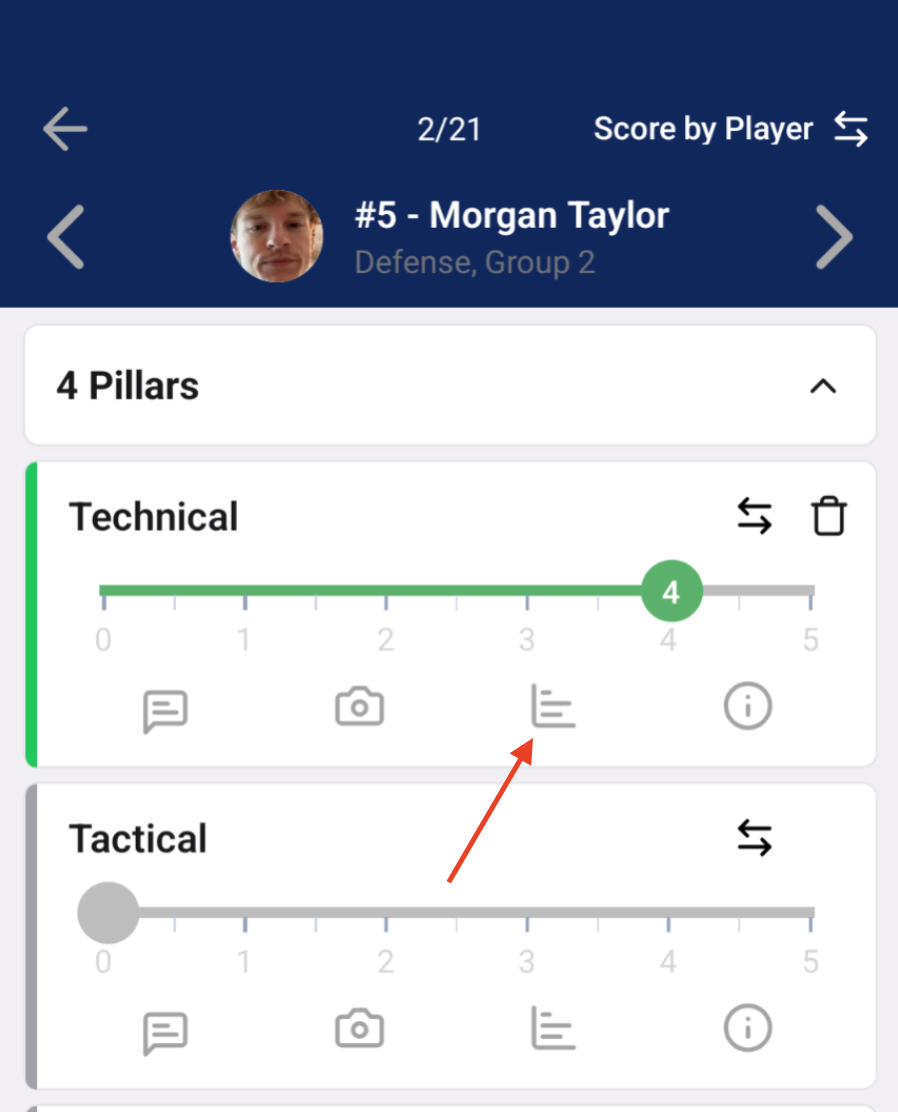
This opens up a window which will show you all of the scores you've recorded by athlete for the criteria you are scoring on. It will also show you the average score across all the athletes you have scored so far.
The player you are currently scoring is highlighted in yellow in the list of players.
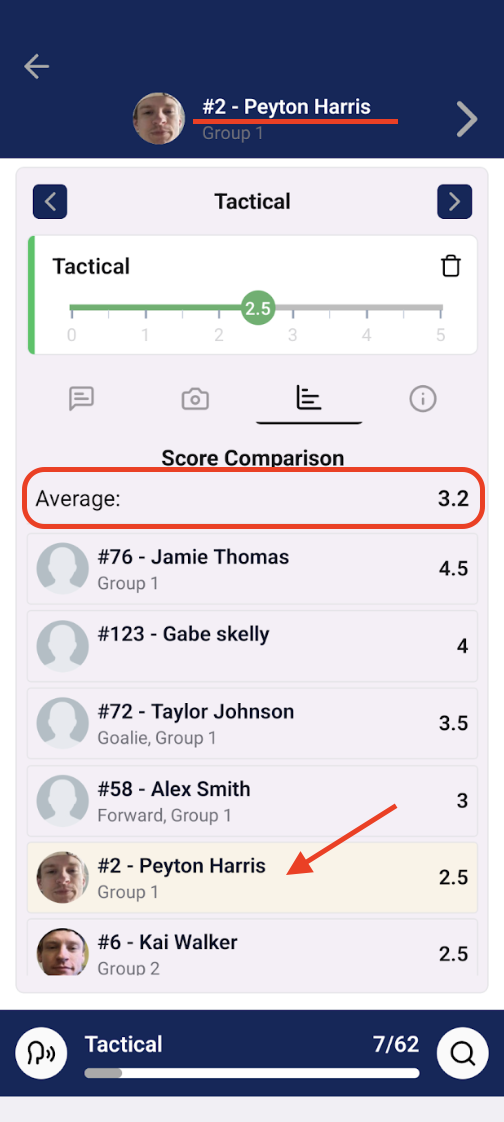
You can quickly jump to a different player if you want to adjust their score while staying in this view. Simply click on the player you wish to edit the score for and it will jump it that's player's score card while keeping you in this view. You can then adjust the score and see the player move up or down in the list accordingly.